How to turn a manual process into an automated system
How to map what your team does by hand, separate the repetitive work from the decisions that need a person, and pick the automation that actually fits.
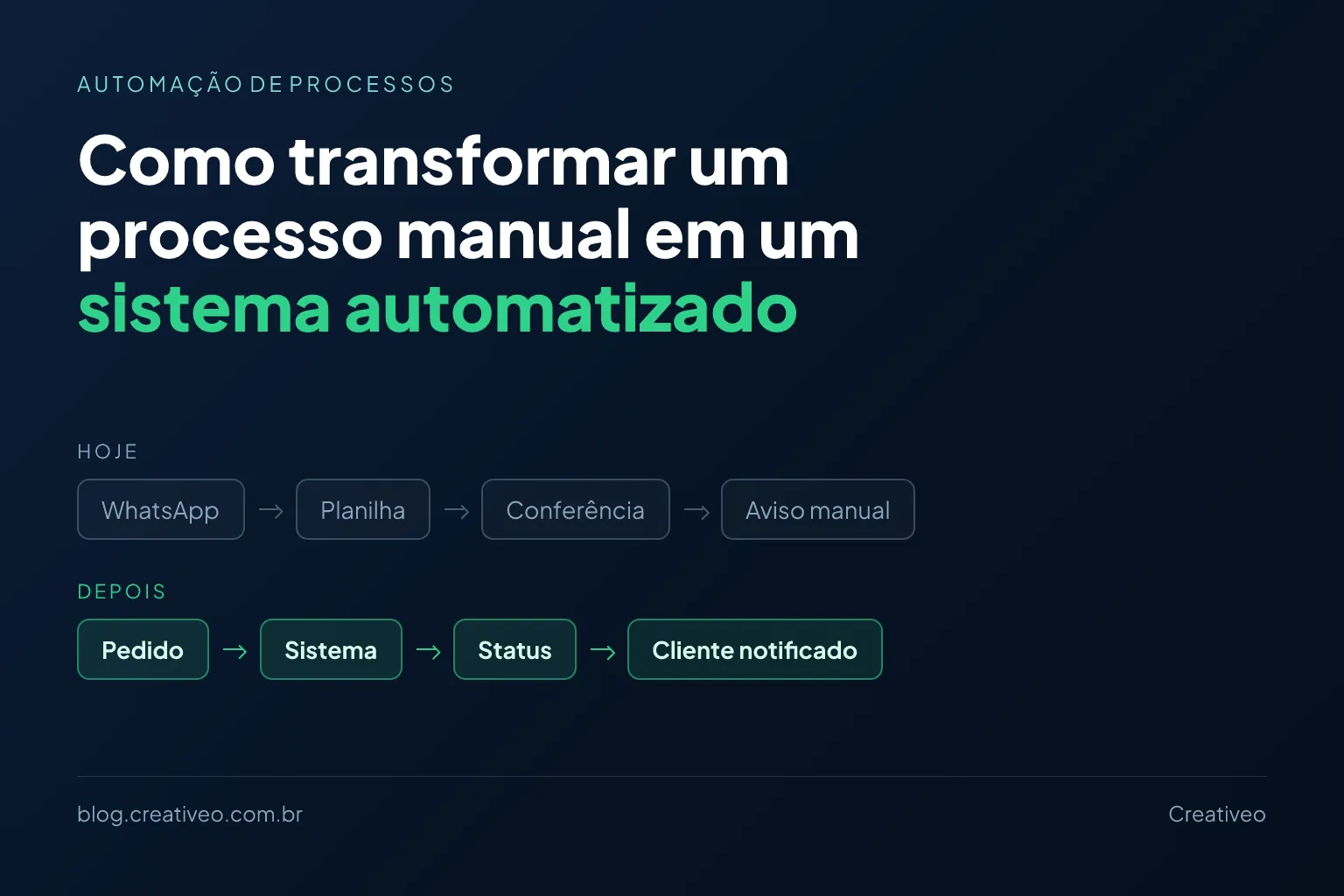
Plenty of companies start out simple. A customer sends a WhatsApp message, someone writes the order down in a spreadsheet, someone else updates the status, and at the end of the day a third person checks that everything lines up.
While the volume is small, it works. As the business grows, the same tasks eat more and more time — and the question shows up:
Could this process be automated?
In most cases, yes. And automating doesn’t mean building a huge, expensive system: often a small application or a single integration already removes most of the manual work.
What counts as a manual process
It’s any process that depends on a person to carry out steps that could happen on their own, at least in part:
- Copying information from one spreadsheet to another;
- Registering the same customer in different systems;
- Checking payments one by one;
- Sending status updates;
- Producing reports;
- Updating order statuses;
- Organising information that arrives over WhatsApp;
- Creating repetitive documents.
The problem isn’t that a person is doing the work. The problem shows up when the work is repetitive, slow and easy to get wrong.
Understand the process before automating it
The common mistake is to start from the technology: “I need an app”, “I need a system”, “I need AI”. The first question should be a different one: how does this work today?
In a company taking orders, the path usually looks like this:
Customer sends the order → someone reads the message → copies the data → puts it in the spreadsheet → confirms payment → updates the status → notifies the customer.
Before building anything, it pays to understand each step. Maybe all of them need automating. Maybe only two are really costing time.
A simple way to start is to put the flow on paper and go through each step:
- Who does this task?
- How long does it take?
- What information is used, and where does it come from?
- Is there a rule for deciding what to do?
- Is the outcome recorded anywhere?
- What happens when something goes wrong?
That exercise usually reveals the process is simpler than it looked — or that some steps shouldn’t exist at all.
Not everything needs to be automated
The goal isn’t to replace every human activity. Some decisions need judgement, experience or a conversation with the customer.
In a company receiving quote requests, the system can take the request, record the data, spot missing information, alert whoever is responsible and confirm receipt to the customer. But the decision about the quote stays with a person.
Technology handles the repetitive work; the team keeps what needs attention.
Start with what costs the most time
It’s rarely worth automating the whole process at once. A quick survey already shows where to begin:
| Task | Time | Frequency | Potential |
|---|---|---|---|
| Copying data between spreadsheets | 1h | Daily | High |
| Producing a report | 40 min | Weekly | High |
| Answering specific questions | 30 min | Daily | Medium |
| Reviewing special cases | 1h | Daily | Low |
A five-minute task looks irrelevant. Repeated dozens of times a day, it becomes many hours over a month.
Turn business rules into system rules
Most automation happens when repetitive decisions become explicit rules:
If the order is paid, change the status to “Processing”.
If stock drops below 10 units, alert whoever is responsible.
If the customer hasn’t bought in 30 days, create a follow-up task.
The system can run those on its own. But they have to be written down first: a rule that only exists in someone’s head is hard to automate correctly — and that’s where most projects stall.
The system needs to know something happened
To automate, the software needs a trigger: a form, a webhook, an approved payment, a message, a spreadsheet, an API.
Payment approved → system receives the confirmation → order is updated → customer gets a message.
Nobody has to open a spreadsheet to check whether the money came in.
The same reasoning solves duplicated work between tools. Many companies run one system for sales, another for finance, another for stock — and someone copying data between them. If those tools have APIs, they can talk to each other:
Sale closed → stock updated → finance recorded → customer notified.
What if the business runs on WhatsApp?
WhatsApp is a great communication tool, but it doesn’t have to be where the business’s information lives. When a customer asks “what’s the status of my order?” and someone has to dig through a spreadsheet to answer, there’s a clear automation opportunity — even if a person keeps handling the conversation.
Spreadsheets don’t have to disappear either. The spreadsheet isn’t the problem: depending on repetitive work to keep it current is. In many cases the system starts filling in the spreadsheet the team already knows.
Does it have to be a system built from scratch?
No. There are different levels of automation:
Simple automation — an integration between tools that already exist.
Form → spreadsheet → email
Intermediate automation — a small application that centralises information and runs a few rules.
Customer → system → processing → notification
Custom system — when the process is too specific for anything off the shelf.
Users → system → business rules → database → integrations
The right option depends on the problem. Building software isn’t always the cheapest answer.
AI comes in when the information doesn’t arrive structured: interpreting a written request, classifying messages, extracting data from documents. Instead of forcing everyone to fill in the same form, AI turns the message into structured information. But if a simple rule solves it, there’s no reason to add a more complex technology.
Start small
An automation doesn’t have to solve everything at once:
- Someone loses an hour a day assembling reports → the system generates the report.
- Someone still has to send it → the system sends it.
- The data comes from different sources → the system integrates them.
The solution grows alongside the actual need.
How to know whether it’s worth it
The decisive question is: what does this process cost today? Count the hours spent, the frequency, the errors, the rework, the delays and the growth you expect.
If the task takes a few hours a year, it probably isn’t worth building anything. If the team loses several hours a week to the same work, automation tends to pay for itself quickly.
One common misconception is worth correcting: automating usually isn’t about cutting headcount. It’s about giving back the two hours a day that go into copying data between systems — hours that could go into serving customers, selling and solving problems.
The path, in seven steps
- Identify the problem — what eats time or causes errors?
- Map the process — how it works today, step by step.
- Split the tasks — what’s repetitive and what needs human judgement.
- Define the rules — turn repetitive decisions into clear rules.
- Choose the solution — integration, automation or custom system.
- Start with the essentials — automate the highest-impact part first.
- Measure the result — compare time, errors and cost before and after.
Does your business have a process like this?
You don’t need to arrive with a finished project. If there’s a task your team repeats every day, information copied between systems, or a control that depends on a spreadsheet, there’s probably an automation waiting — and it may be far smaller than you imagine.
Get in touch through the form and explain how the process works today. We’ll work out together what kind of automation or system makes sense.
A few other articles you may find useful:
- 7 signs it’s time to replace spreadsheets with a system — the most common sign that a manual process has gone too far.
- How much custom software costs for your business — what each type of solution usually costs.
- How to add an AI assistant to your system — when information arrives unstructured and AI helps interpret it.