How to add an AI assistant to your system
The architecture behind an assistant that queries data and runs actions inside your software — and why the AI interprets, but the system validates and executes.
Artificial intelligence is no longer a large-company subject. Today you can add AI features to systems of any size — and in most cases without training a model from scratch.
One of the most useful options is putting an AI assistant inside the company’s own system. Instead of talking to a generic chatbot, the user makes a request and the assistant uses the information and features the software already has:
“What were my sales last month?”
“Register a new customer called John.”
“Which orders are still awaiting payment?”
Here the AI isn’t just answering questions. It’s interacting with the software.
What an in-system assistant is
It’s an interface that lets people look up information or run actions in natural language, without hunting for the right feature in a menu.
In a management system with dozens of screens, checking the month’s sales usually means:
Reports → Sales → Period → Last month → Filter → View
With an assistant, “show my sales from last month” is enough. The system reads the request, works out the period and runs the query.
The AI doesn’t have to replace the interface
Adding an assistant doesn’t mean turning the whole system into a conversation. The best results almost always come from combining the two: menus, buttons, forms, tables and dashboards stay where they are, and the assistant covers what is faster to say in words.
Traditional interface: registering a customer through a form.
Assistant: “Register Maria Silva, phone 99999-9999, email maria@email.com.”
Each approach fits different moments — and most users will reach for both on the same day.
Reading data and running actions
Picture a system holding customers, orders, products, stock, finance and staff. The assistant can take:
“Which products have fewer than 10 units in stock?”
The AI interprets the request and the system runs the query. The result comes back formatted for the user. Note one important detail: the AI doesn’t need to “know” the company’s stock — it needs to know how to ask the system for that data.
The same goes for actions. In a fleet management system, “log an oil change of R$ 250 for my car today” becomes a call to the function that records expenses. “Create a reminder to service the car in 6 months” becomes the reminder function.
In this model, the AI is an interaction layer over features the system already has.
How it works in practice
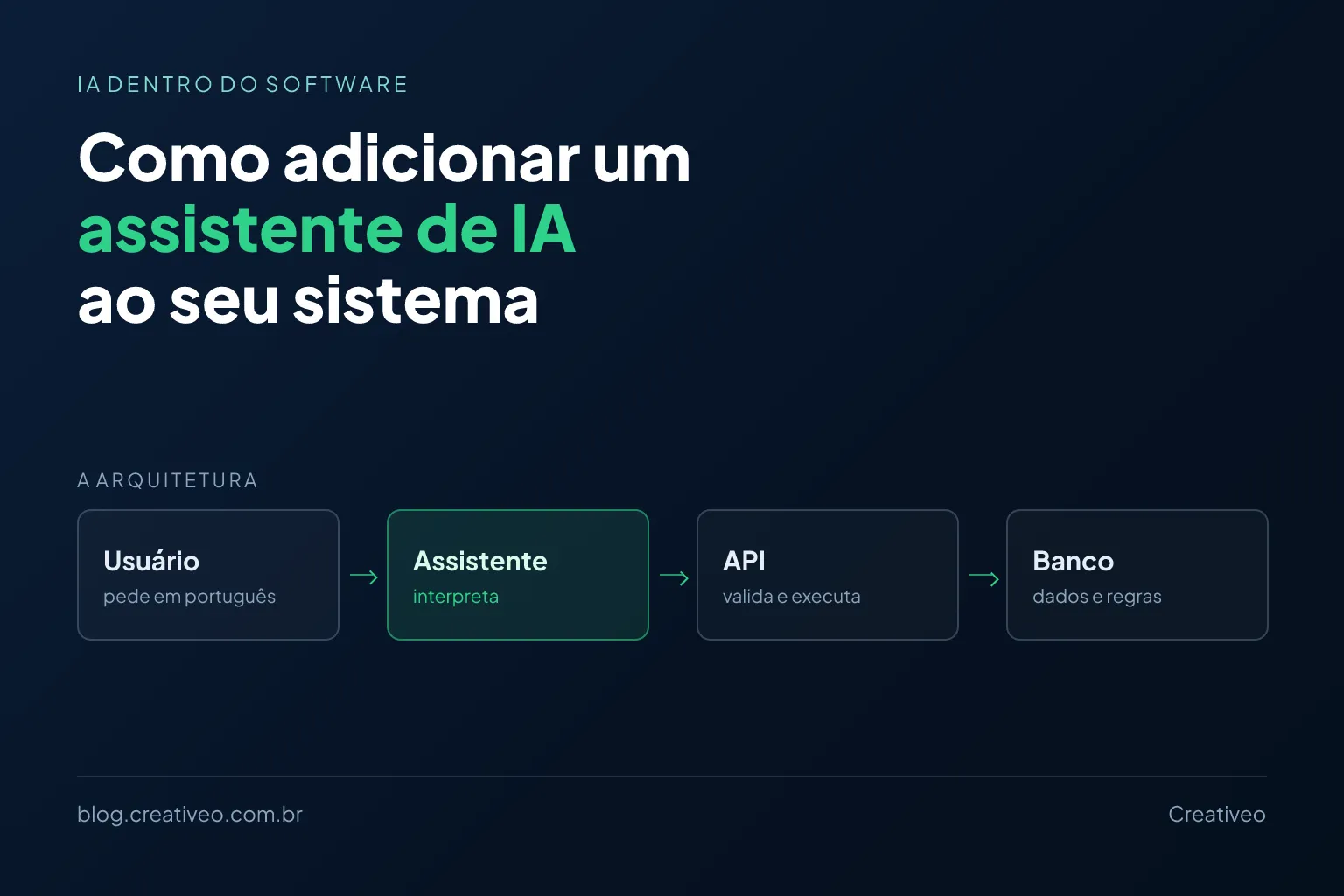
The architecture, simplified:
User → AI assistant → System API → Database
For “what were my three largest orders this month?”, the path is:
- The user sends the question.
- The AI interprets the intent: look up the user’s orders in the current month, sorted by value.
- The assistant calls a system function —
findOrders({ period: "current_month", sortBy: "value", limit: 3 }). - The API queries the database following the application’s rules.
- The system returns the results.
- The AI turns the data into a written answer.
The split of responsibility is the whole point: the AI interprets and communicates; the system stays in charge of the data and the business rules.
The AI shouldn’t talk to the database directly
Unrestricted database access is the fastest route to a problem. The safer architecture exposes a set of controlled application functions to the AI:
findCustomersfindOrderscheckStockcreateCustomercreateOrdercreateReminder
Each function defines exactly what it can do. That keeps permissions, accessible data, allowed operations, validation and logging under control — everything a free-form database query would throw away.
The AI interprets; the system validates and executes
Business rules stay in the system, not in the prompt. A rule like:
A user cannot cancel an order that has already been invoiced.
can’t depend on the AI remembering it. The API checks the condition before executing and refuses the operation when it isn’t allowed — even if the user’s request was interpreted perfectly.
The same reasoning applies to security. An assistant that only answers questions carries a different risk from one that changes data. If someone writes:
“Delete all orders.”
the application shouldn’t run it just because the sentence was understood. Higher-impact operations call for a specific permission, an explicit confirmation, a limit on scope and a record of the action.
Every user sees only what they’re allowed to
In a system with different roles — staff see their own orders, managers see the team’s, admins see everything — the assistant has to respect exactly those permissions.
If an employee asks “show me everyone’s salaries”, the answer must be the same one they’d get navigating the screens. The assistant runs inside the access rules that already exist, with the identity of whoever is talking to it.
Do I need to build my own AI?
In most projects, no. You can use models offered through APIs: the system sends the request, gets the interpretation back and carries on using the result inside the application. You add the capability without training or hosting a model — which, for most small companies, is the difference between the project being viable or not.
The cost depends on what the assistant has to do. Answering questions about information you already supplied is relatively simple. Querying several parts of the system, running actions, respecting permissions, processing documents and keeping context between messages needs a far more elaborate architecture.
Add to that the ongoing cost of the model’s API, which scales with usage. There’s no single price for “adding AI”: it comes out of the combination of expected usage and the features you need.
Start with a handful of functions
A good assistant doesn’t arrive complete. You can start with queries only — “show today’s orders”, “which orders are late”, “how much did I sell this month” — and only then allow actions such as registering a customer, creating an order, sending a reminder or producing a report.
The tasks where AI usually pays off most are:
- Queries: finding information that already exists in the system;
- Navigation: locating a feature in a system with many screens;
- Data entry: details that fit naturally into one sentence;
- Reports: open questions about the data;
- Automation: one request that triggers a sequence of steps;
- Support: answering from the company’s own information.
Is it worth it?
Not always. If a task is faster with a button, turning it into a conversation brings no advantage — it only adds a step and a cost.
AI pays off when the user needs to ask complex questions, cross a lot of data, describe a task in natural language, find information quickly, kick off multi-step processes or work with unstructured information.
The goal isn’t to put AI in the system because the technology is popular. It’s to make the software more useful or easier to use.
Start from the problem, not from the AI
Two questions settle the decision: what does the user need to do? and does AI make that better?
If the answer is yes, you can design the integration around the split that holds everything together: the AI interprets the requests, and the system stays responsible for the data, the business rules, the permissions and the execution. That’s when AI stops being a chatbot bolted to the side of the screen and becomes part of the software experience.
Could your system do more with AI?
If you already have a system and are considering an assistant, you don’t need to rebuild the application. We can look at what it already does and find where AI genuinely adds value.
Get in touch through the form and tell us what your system does today and what you’d like it to do.
A few other articles you may find useful:
- How to turn a manual process into an automated system — where AI fits into a process being automated.
- How much custom software costs for your business — investment ranges for systems of different sizes.
- Does SEO still matter now that people search with AI? — the other side of AI: what changed in how people search.